sign.
sign.
The IDT Meeting document should be created per each patient and specific IDT meeting. To create the document:
1. Go to the IDT Meeting tab in the patient’s chart.
2. Click the sign.
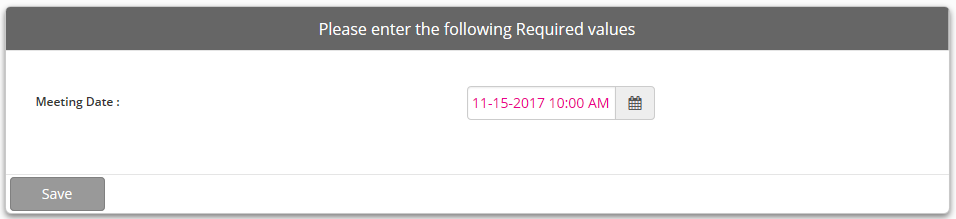
3. The Meeting Date window will display. Select the date and time of the IDT meeting. This date may be in the future if the IDT Meeting document is created ahead of the meeting.
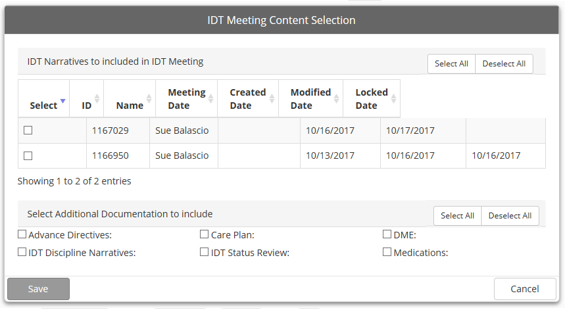
4. Once the date and time are selected, the IDT Meeting Content Selection window displays.
5. If using IDT Discipline Narratives, any available narratives will be listed in the top portion of the window. Select those narratives to include in the document. Select additional components to include in the document in the lower portion of the window.
6. Click  .
.
7. The IDT Meeting document will open in a separate tab within the patient’s chart.
|
|
IDT Meeting documents do not need to be saved. Each entry is saved once the cursor leaves the field and moves on to the next field. To be sure to save narratives, always tab out of the narrative field. This will ensure that the narrative text is saved. |